Edit video just by asking.

A real motion editor. Your agent does the editing.

For creators making Reels, titles and launch teasers on Mac.

Select a layer to see its effects.

Properties
Composition
Width
1920
Height
1080
Duration
10s
Frame rate
30
Background
#000000

Select a layer to edit its properties.

Wave launch
New thread
Make your next moveCreate, research, and build with your project.
SAVED LOCALLY 0 layers 0 keys Playback paused 1920×1080 · 30 fps

Exporting Wave launch

Rendering launch.mp40%

An in-browser demo with scripted replies. In Wave, the agent edits your real project with the same tools.

  • Codex
  • Claude Code
  • Local models
  • MP4
  • WebM
  • ProRes
  • PNG sequence

See it.
Make an edit by asking.

Bring an idea. Ask for another version. Keep the layers and keyframes yours to adjust.

  1. You: I have a folder of clips and an idea.

  2. You: Make a vertical cut. Add a title, then fade it out.

  3. Wave: Your agent can do the editing.

  4. Wave: The layers and keyframes stay yours to adjust.

  5. You: Can I ask for another version?

  6. Wave: Yes. Keep asking, keep shaping.

  7. Wave: Try the editor below.

Try the interactive editor

One idea.
Three simple steps.

Describe the change, review the edit, and share a render. Keep the project yours to shape.

Hover or focus to inspect. Arrow keys adjust the action. Home and End show the start and finish. Escape pauses motion.

01Describe it

Say what you want to change.

Hover or focus to inspect. Arrow keys adjust the action. Home and End show the start and finish. Escape pauses motion.

02Watch the agent edit

Review the changes on your timeline.

Hover or focus to inspect. Arrow keys adjust the action. Home and End show the start and finish. Escape pauses motion.

03Export

Share a render. Keep the project.

For people who ship video.
From idea to your next edit.

For creators making Reels, app makers making launch teasers, and motion designers. Go from an idea to an edit you can keep shaping.

Ask for an edit

Describe the title, motion or effect you want. Your agent makes the change on your timeline with layers and keyframes you can keep editing.

  • Editable layers
  • Keyframes
  • Effects

Fine-tune any edit

Adjust an effect or move a keyframe by hand. You can undo the edits your agent makes, too.

  • Effect controls
  • Undo any edit

Bring your own agent

Use the Codex or Claude Code plan you already have, or configure an OpenAI-compatible endpoint for a local model. Wave has no separate AI fee.

  • Codex or Claude Code
  • Local models

Export wide or vertical

Make a vertical cut for Reels, then export it as MP4. Wave also exports WebM, ProRes and PNG sequences.

  • MP4 · WebM
  • ProRes
  • PNG sequence

Keep your files on your Mac

Your project files, imported media and renders are stored on your Mac.

  • Wave project
  • Source clip
  • launch.mp4

An agent at work.
An editor you own.

Editable, not a rendered clip.

Keep working in a project with layers and keyframes. Adjust the timing, change a detail, or undo an edit when the idea takes a different turn.

Your agent, your provider.

Work with Codex, Claude Code or a compatible endpoint. Choose the provider that fits your workflow, including local models through a compatible endpoint.

Free forever. Updates for $35.

Every editing feature is free forever, without updates. Your version keeps working. Pay $35 once for all future updates, installed in the app. Any AI provider charges are separate.

Yours to change.

Your agent can build extensions, effects and shaders, or restyle the interface. Keep the panels, theme and keymap that feel right for the work.

A few things to make yourself at home

  • Layers and keyframes
  • Undo every edit
  • MP4, WebM, ProRes, PNG sequence
  • Projects on your Mac
  • Codex or Claude Code
  • Local models
  • Extensions
  • $35 once for updates No subscription

Wave for
your workflow.

Keep your project on your Mac and shape the editor around the way you work.

  1. Timeline edits

    Edits by asking

    Describe the change and your agent edits the real timeline.

  2. AI agents

    Your own agent

    Use Codex, Claude Code or a local model. Wave works with what you use.

  3. Customization

    Extensions

    Have your agent build or add panels, effects and themes.

  4. Pricing

    Free forever

    Every editing feature is free. Pay $35 once for Lifetime updates.

Your editor.
Shaped around your work.

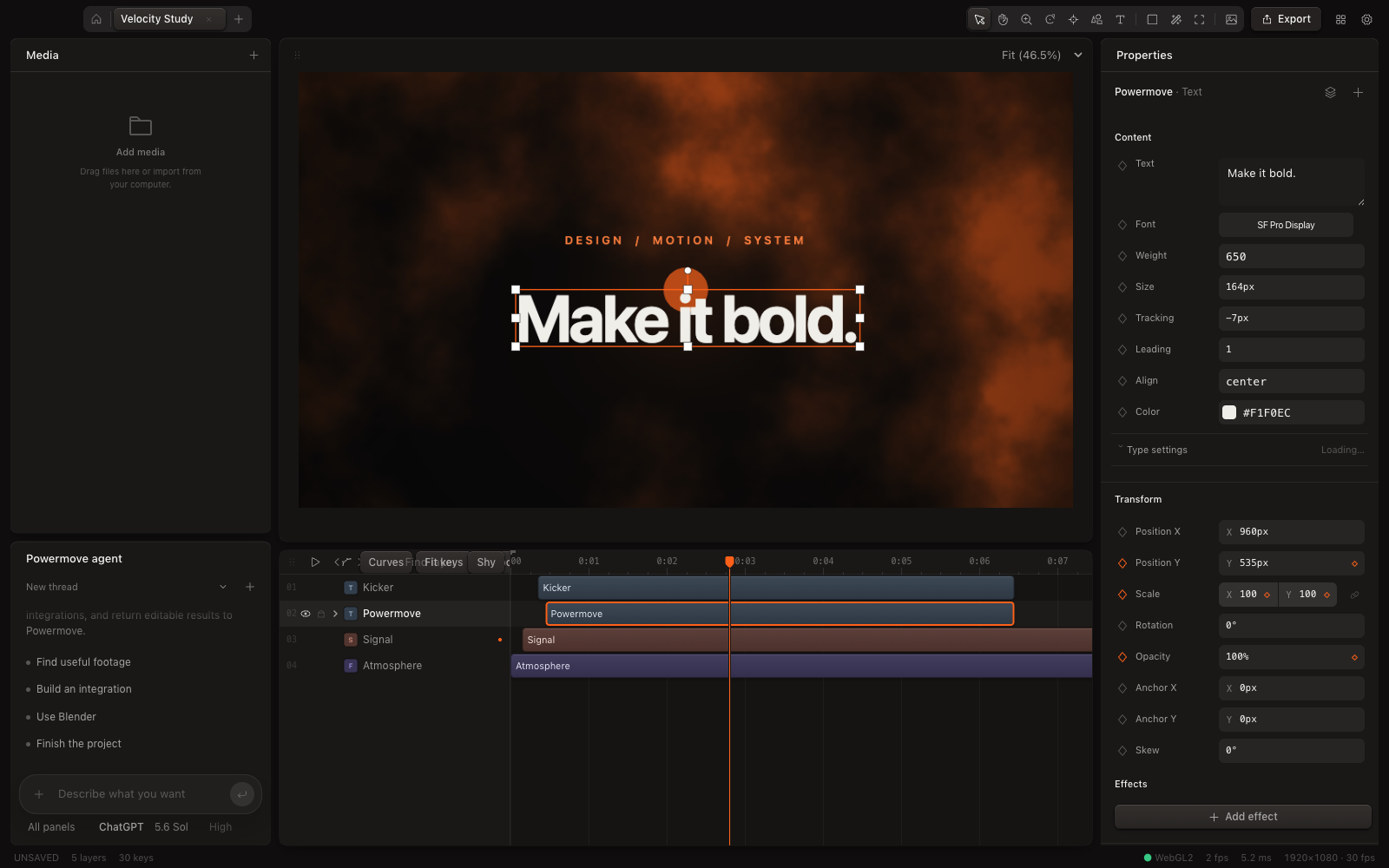
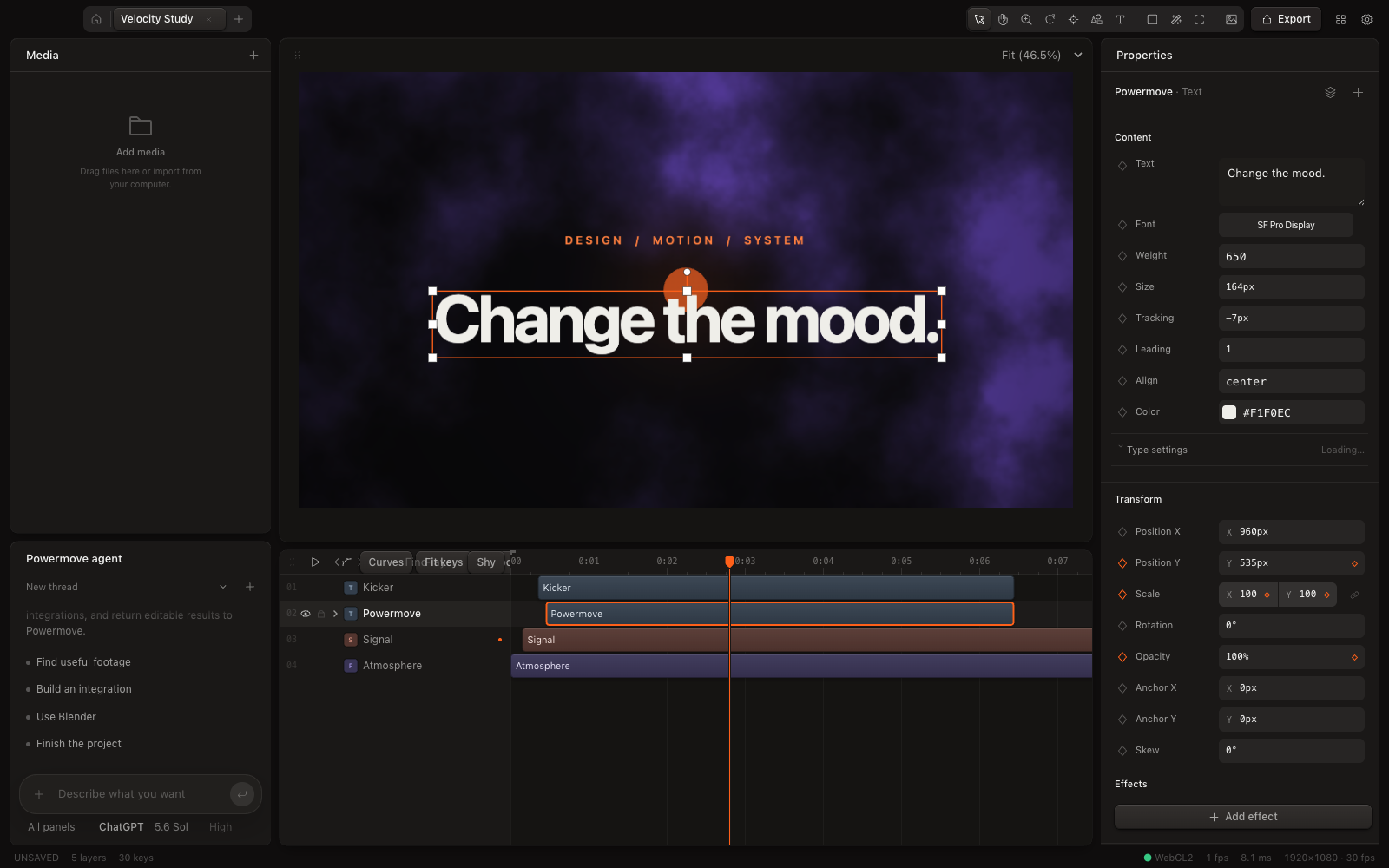
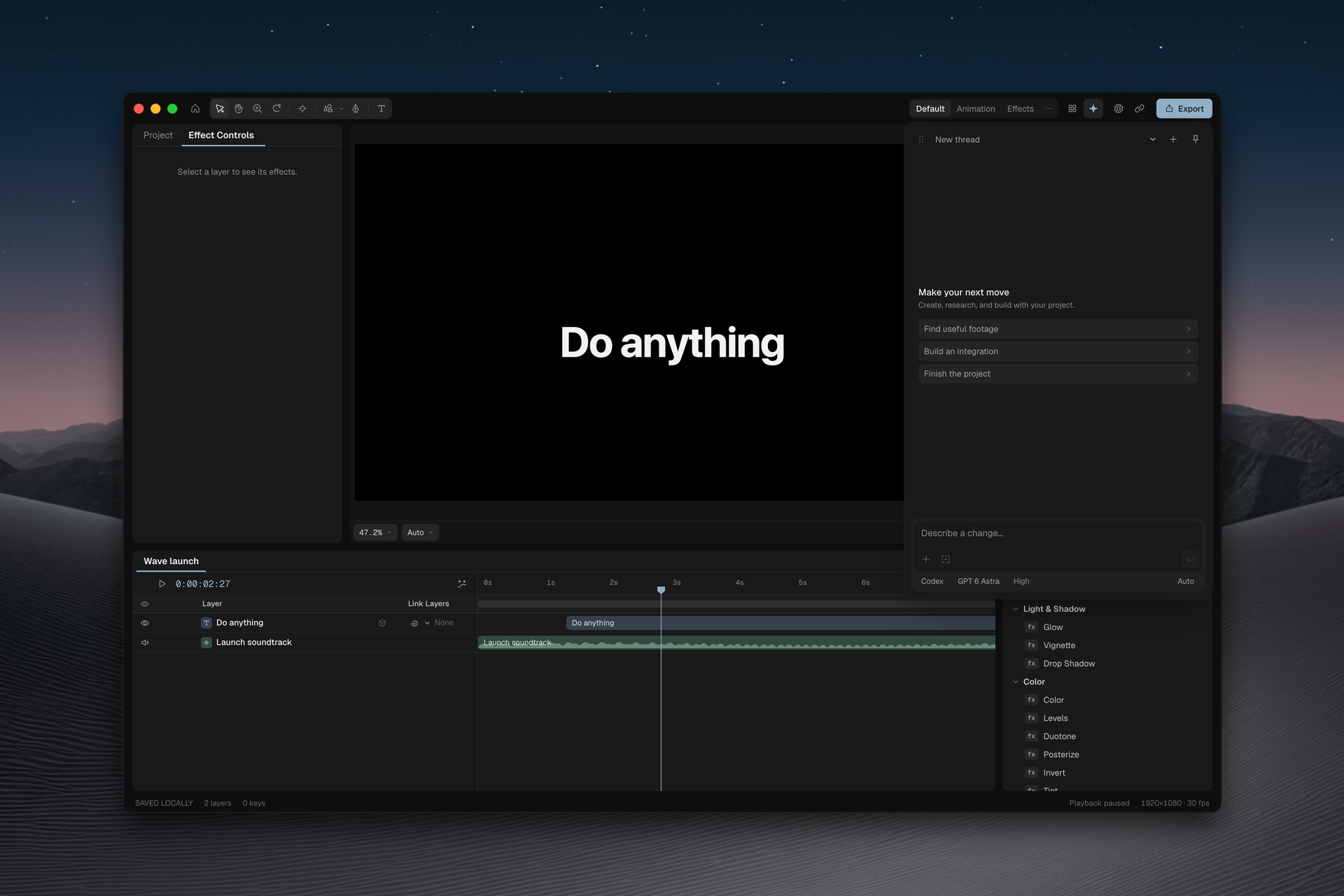
The tool you keep wishing for can become part of your workspace. Your agent can build extensions, restyle the interface, and generate effects and shaders. Panels, effects, transitions, the theme and keymap are all extensions. Turn them off and on in Settings as your work changes.

Dark editor with a title over an amber shader, properties and layered timeline.
The same editable title with a violet shader and keyframe controls.
Dark Wave workspace with an agent panel, effects and a local project timeline.
A familiar place to edit.
  • Effects and shaders

    Give an idea its own look.

  • Panels

    Make room for your workflow.

  • Theme

    Feel at home in your editor.

  • Keymap

    Keep your familiar shortcuts.

Ask for the tool you wish existed.

Some days you need an effect. Other days, a panel that puts the right controls within reach. Tell your agent what you have in mind, and shape the editor around the work you do.

Keep only the tools you need.

A useful workspace has room to breathe. Keep the extensions that help with this project, switch off the ones you do not need, and turn them back on when the next idea calls for them.

Try the switches. Make a little room.

Installed extensionsSettings
  • Motion trackingFollow a subject
  • Audio-reactive visualsMove with the sound
  • TransitionsBetween one scene and the next

Extension installed:

Motion tracking
just now

Your Mac.
Your first cut.

Bring your footage and the agent you already use.

  1. Open the full editor on your Mac, free forever without updates. Pay $35 once for all future updates, installed in the app.

Download for Mac

AI usage is billed by your provider.

Free forever.
Updates for $35.

$0
  • Every editing feature
  • Runs on your Mac
  • Uses the AI plan you already pay for

Lifetime

$35 once

All future updates, installed in the app.

Buy in Wave after you sign in.

Compare plans
Wave Free and Lifetime
IncludedFreeLifetime
Every editing featureYesYes
Your own AI agentYesYes
Future updatesNoYes
Price$0$35 once

Your licence can move to another Mac, with one Mac active at a time and up to four activations per rolling year.

AI usage is billed by your provider, not by Wave.

Good questions.
Clear answers.

A few details before your first edit.

MEDIA
Can I edit a video without touching the timeline?

Yes. Describe the change and the agent edits your project with the same tools as the UI. Every edit is undoable, and you can adjust anything by hand whenever you want.

Does Wave work on my Mac?

Wave is a motion editor for macOS on Apple silicon.

Which AI agents can I use?

Connect Codex or Claude Code, installed and signed in, or configure an OpenAI-compatible endpoint. You use your own provider credentials. If you use a local model, nothing leaves your machine.

What can I change with extensions?

Panels, effects, transitions, the theme, and the keymap are extensions above a deliberately tiny kernel. The agent can build new ones through the same typed, undoable tool layer. Turn extensions off in Settings and back on whenever you need them.

How is this different from a browser editor?

Wave is a desktop motion editor for Apple silicon Macs. Your projects, imported media and renders are stored on your computer. Every editing feature is free forever, without updates. Pay $35 once for all future updates, installed in the app. Connect your own AI agent to edit the timeline and build extensions. Cloud AI use still sends your prompt and any files the agent needs to your chosen provider, and any provider charges are separate.

Do I need to pay for AI separately?

Wave includes the editor, not an AI usage plan. Bring your own Codex or Claude Code account, or configure an OpenAI-compatible endpoint. Your provider sets any AI charges. A local model uses your own setup, with no Wave AI subscription.

Is Wave free forever?

Yes. Free includes every editing feature, your own AI agent and all export formats, on your Mac, forever. Free does not receive updates. Your version keeps working. Any AI provider charges are separate.

What does the $35 licence cover?

Lifetime includes everything in Free plus all future updates, installed in the app, for $35 one time. Buy inside Wave after you sign in. One licence is active on one Mac at a time; you can move it, with up to 4 activations per rolling year including your first. Any AI provider charges are separate.

Where do my projects live?

Project files, imported media, renders, and settings are stored locally on your computer. When you use an AI agent, your prompt and the files it needs go to the provider you choose.

The next edit
starts with you.

Ask for the cut you have in mind.
Keep every layer, every keyframe, every choice.

Download for Mac

Free forever. Wave Lifetime is$35 once for updates.

For Macs with Apple silicon